
Review outflows by period.
Keep month-by-month expenses visible so spending patterns are easier to understand and review.
Expense Tracker
Ascentist Finance helps you review monthly expenses, recurring outflows, income, and surplus through manual tracking, with no bank sync required.
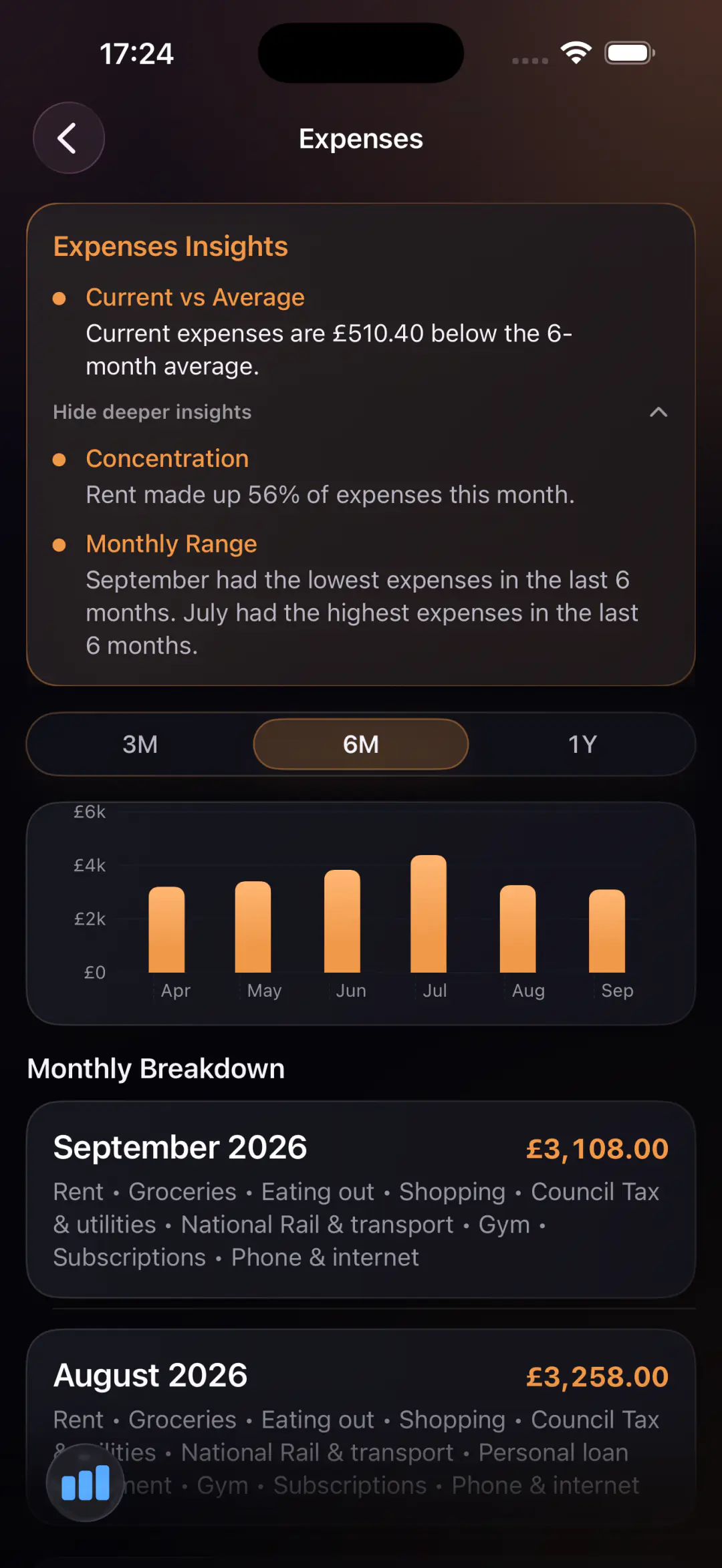
See monthly outflows more clearly without relying on noisy bank-feed automation.
Keep month-by-month expenses visible so spending patterns are easier to understand and review.
Expenses make more sense when they sit alongside income and surplus, not in isolation.
Track expense patterns in a calmer system that supports ongoing awareness rather than constant alerts.
A private expense tracker app
Many expense tracker apps are built around categories, notifications, or automatic feeds that create more scanning than understanding. Ascentist takes a simpler route: you enter and review information yourself, which makes the spending picture easier to trust.
That approach works especially well for people who want a monthly expense tracker app that feels deliberate, private, and easier to revisit over time.
Who it fits
These are the kinds of search intents this page is built to serve.
Ascentist keeps the interface structured and focused on monthly review rather than financial gamification.
Manual entry is built into the product, so privacy and intentional tracking are part of the experience from the start.
The app also includes income, surplus, accounts, and net worth so expense tracking supports a fuller financial routine.
Expense tracker FAQ
Yes. It helps you review expenses across a selected period so monthly outflows stay visible and easier to understand.
No. The app is manual by design, so you can track spending without connecting external financial accounts.
No. Expenses sit alongside income, surplus, accounts, and net worth so you can understand how spending affects the whole picture.
Yes. The app supports CSV export, and you can see more product details on the support page.
Related pages
Expense tracking is stronger when it connects to net worth and privacy-first product choices.